

Bot Preferences let you decide which meetings Fano records automatically.Documentation Index
Fetch the complete documentation index at: https://fano.mintlify.app/llms.txt
Use this file to discover all available pages before exploring further.
Accessing bot preferences
- Click your profile avatar → Setting.
- Go to the Bot Preferences tab.
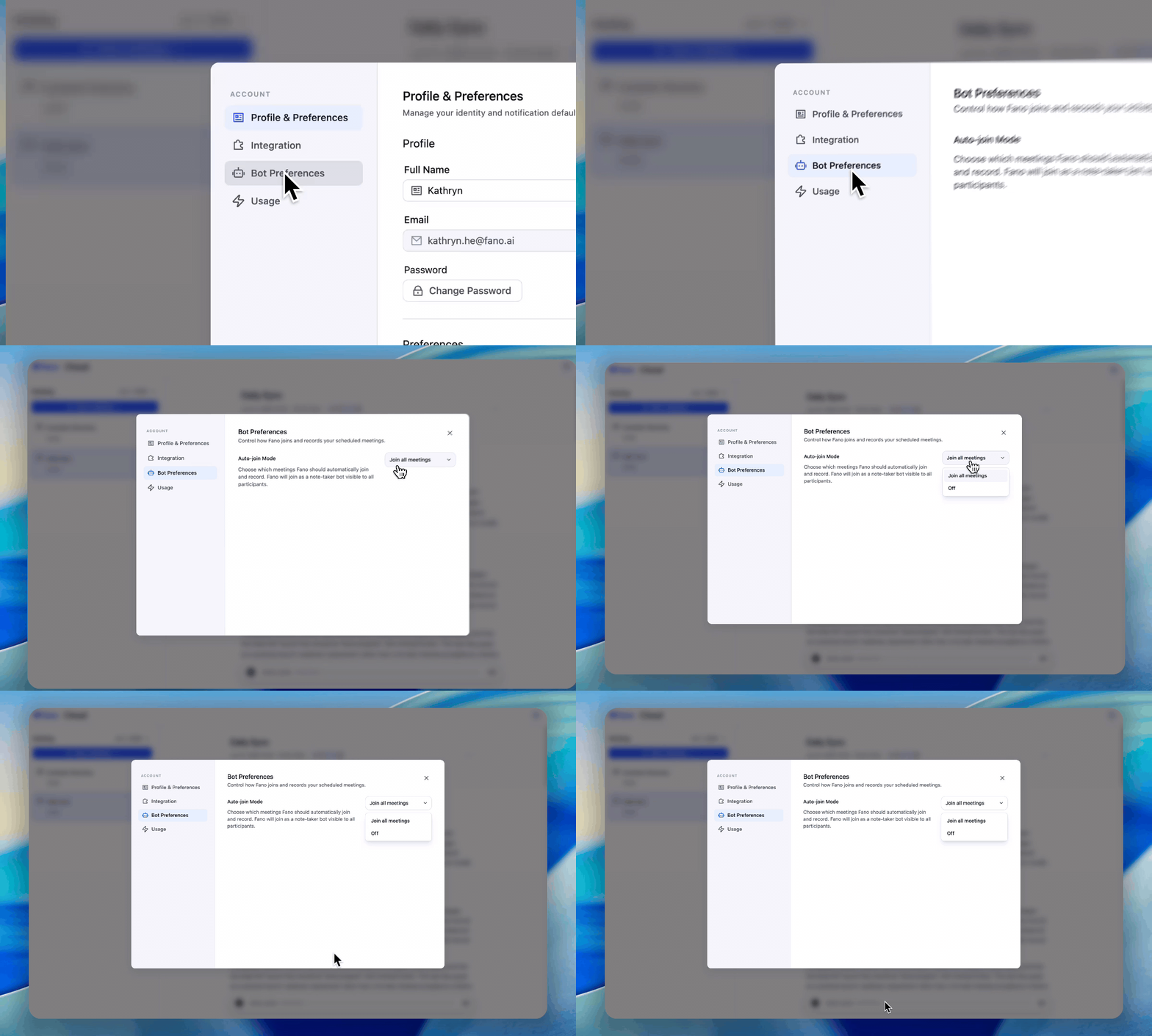
Auto-join Mode
This controls whether Fano automatically joins your scheduled meetings.| Mode | Behavior |
|---|---|
| Join all meetings | Fano bot joins every meeting on your calendar that has a video call link. This is the default. |
| Off | Fano does not auto-join any meetings. You can still record manually using Record Now or Upload Meeting. |
How the bot appears
When Fano joins a meeting, it appears as a visible participant (e.g., “Fano Note-taker”) in the attendee list. All participants can see it. The bot:- Does not speak or share its screen
- Does not interact with the chat
- Only listens, records, and processes the audio